Foli
How to manage your job search process on one screen
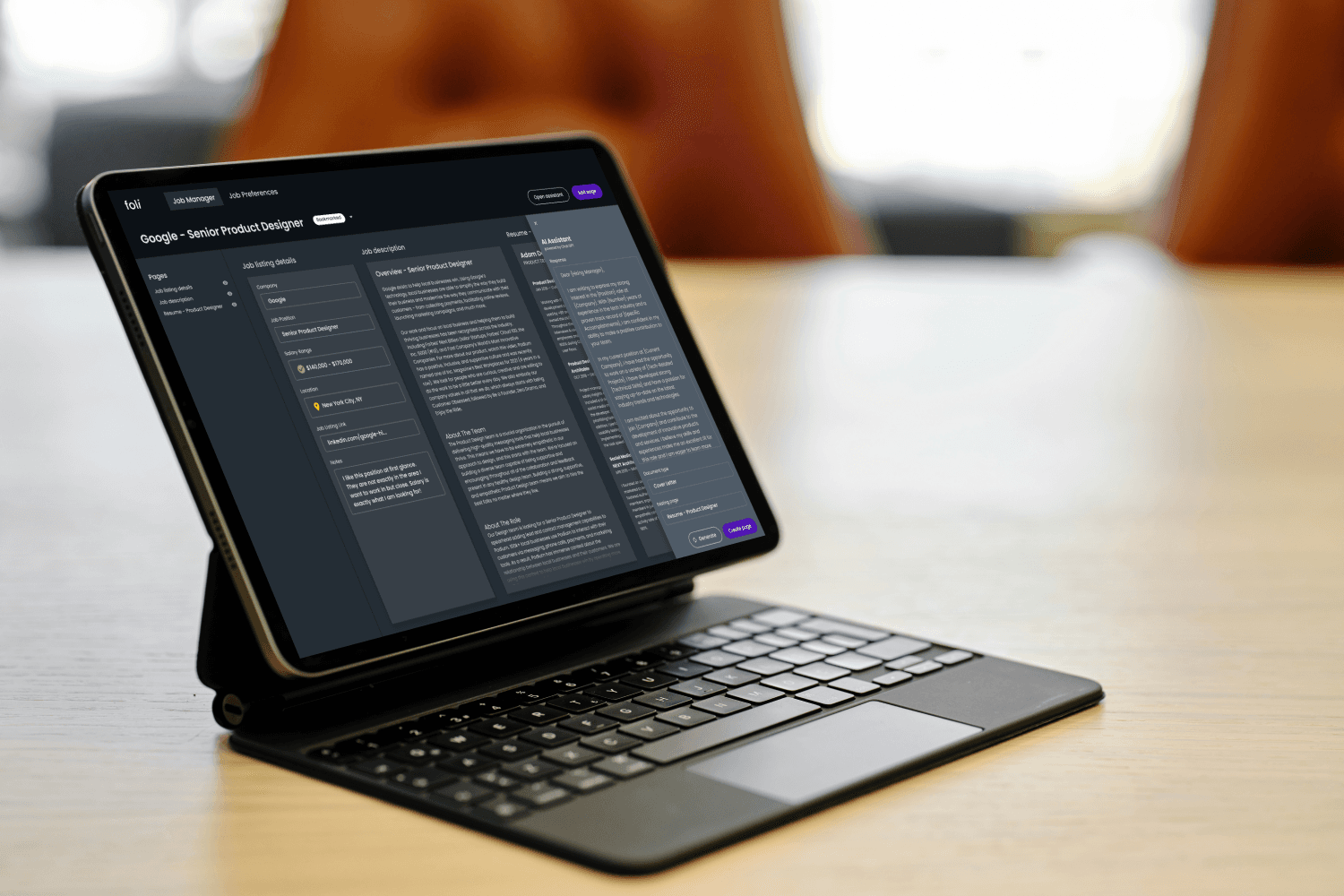
I designed & developed Foli as a personal job tracking tool for managing documents throughout the interview proces.
Product
Foli
What I did
Design
Fullstack development
Technologies
Figma (Design)
React (Development)
Supabase (Database)
Netlify (Server)
Duration
Q1'23 - Q2'23
Context
How might we efficiently manage a complex job searching process?
Job searches are more difficult than ever before. With the surge of remote work after COVID-19 candidates are competing with each other on a national scale.
Massive layoffs in tech has shifted the market in favor of employers, leaving candidates to take more care in tailoring their applications to be relevant for opportunities.
Job search numbers for context
100-200
Average number of applications job seekers submit to receive a job offer
30-45 min
Average time it takes to tailor a resume and cover letter to an application
3-5
Average number of companies a candidate will interview with simultaneously
5
Average number of interviews per company before getting an offer
Problem
Tracking all aspects of a job search is challenging
Tailoring resumes & cover letters for each application is time-consuming. Not only do documents need to reference each other but other aspects of the job search need to be managed, such as doing industry research, writing down questions, & note taking after an interview.
Our interview documents reference each other, yet we work on them in multiple files and programs. What if everything you needed was on one screen?
Project goal
How might we create a centralized tool that helps job seekers manage all aspects of their job search—from tailored documents to interview notes—in one unified interface?
Inspired by Figma, Teal, Airtable, & even Pinterest, I started thinking about how people may want to organize their jobs. Initially, I started with a design that had a similar interface to Figma's team spaces.
In a job search, this page would house a collection of interview documents - traditionally called a "portfolio" - or "folio" (for short). Take the "o" out of "folio", and you get... Foli. That's how I came up with the name. Clever, I know.
I discovered that a table view of jobs could better reference the details of the job inside, doubling as a great way to compare jobs.
This approach is a similar pattern to how Teal designed their job search tracking tool.
These initial sketches were the "portfolio" pattern similar to Figma. This also shows the initial design of the job drill-down screen.

These sketches show an exploration of "favoriting a sheet" as a top-down slideout "folio collections" to copy a whole set of documents and "preview a folio"
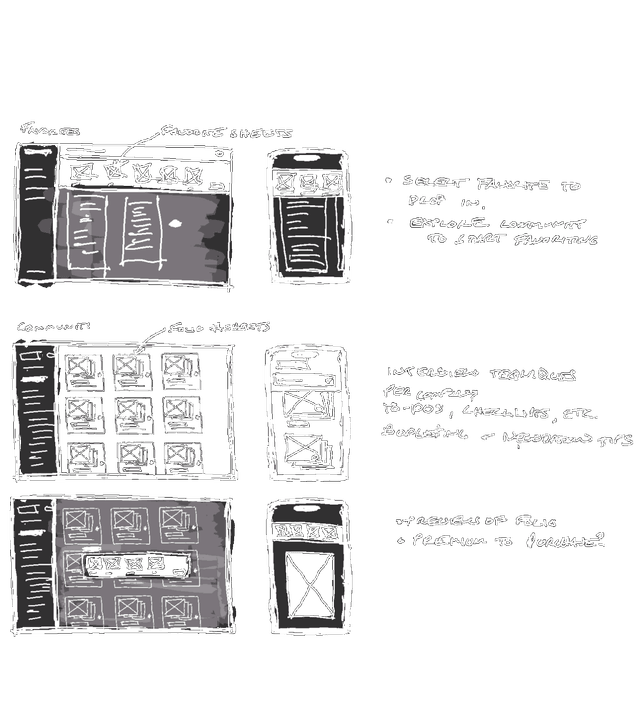
These sketches show the "table" pattern I decided to adopt. I thought it scales better by being able to compare analytics for each job.
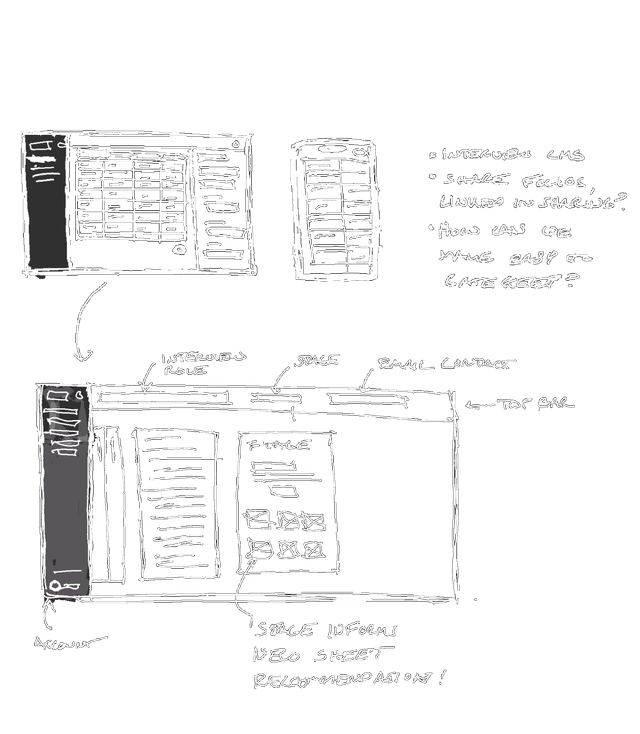
Figma explorations
Translating early ideas into flows, states, and components
After sketching, I moved into Figma to explore how Foli could support the full job-search journey. I tested different ways to group content, surface status, and reduce the mental load of juggling many job applications at once.
Folios concept 1
Final React app
Bringing Foli’s final experience together through code.
This walkthrough highlights the final Foli experience. It shows the flow from signing in, opening a job listing, and adding a template document for a cover letter.
Retrospective
01 / Learning to code with AI as a partner
Foli was one of my first projects where I paired with AI to write production React code. While this accelerated my learning, it also forced me to slow down and really understand what was being generated—reading, refactoring, and debugging instead of copying solutions blindly.
02 / Remembering to test multiple browsers
I initially built and tested Foli entirely in Chrome, only to discover later that some key interactions broke in Safari and Firefox. This was a humbling reminder that "it works on my machine" isn't enough—and that browser testing needs to be part of my definition of done.
03 / Designing mobile for a text-heavy experience
Adapting a dense, text-heavy desktop layout to a small screen was far more challenging than I expected. I had to think through what features to show and which to keep on desktop devices and rethink how to chunk long-form content so it still felt scannable and usable on mobile.